Redefining AI for
UI/UX DESIGN
By Srijan
2024
Usability
Scalability
Structure
Efficiency
Security
AI
Project
RootX2 is a corporate AI assistant designed to streamline business operations by delivering structured AI-generated insights in text, graphs, and data tables. Unlike generic AI chatbots, RootX2 focuses on enterprise needs—multi-tenant management, role-based access, and secure audit tracking—ensuring AI-driven conversations are useful, organized, and actionable.
My Role
Design Process & timeline
As a Product Designer, I was responsible for:
User Research & Strategy – Understanding corporate AI adoption challenges.
UI/UX Design & Interaction Flows – Creating an intuitive and structured user experience.
Information Architecture & Visual Design – Ensuring clarity and usability.
Prototyping & Testing – Iterating based on user feedback.
Project:
RootX2 Web App
duration:
NOV 2024 - DEC 2024

Week 1
Empathize & Define
User research, stakeholder interviews, competitor analysis, problem identification, user personas
Week 2
Ideate & Wireframe
Concept brainstorming, low-fidelity sketches, information architecture, user flows
Week 3
Prototype & High-Fidelity UI
Design system creation, high-fidelity UI design, interaction design
Week 4
Testing & Iteration
Usability testing, design refinements, handoff to development
Brand Identity
The RootX2 brand identity was designed to communicate intelligence, clarity, and professionalism, aligning with its role as a corporate AI assistant. The visual system combines modern aesthetics with functional design to ensure a seamless and engaging user experience.
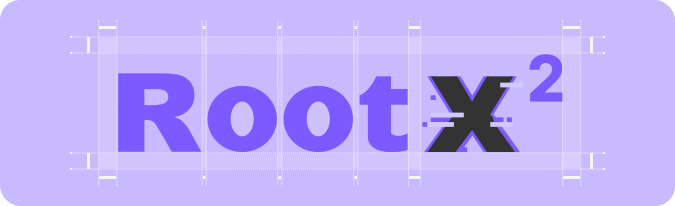
The RootX2 logo features a bold and modern typographic style using the Inter font. The "X²" is highlighted with unique styling to symbolize data, intelligence, and computational power, aligning with the product’s AI-driven functionality. The vibrant primary color (#7B5AFF) emphasizes the brand’s modern, tech-forward identity, while the clean design ensures versatility across digital platforms.
The color palette and typography work together to create a cohesive and engaging user interface that maintains clarity and professionalism.
Logo Design
Colors & Typography
The Inter font family was chosen for its modern, geometric design and outstanding legibility, making it ideal for complex, data-rich interfaces like RootX2. Its versatility ensures clarity across various weights and sizes, providing a seamless reading experience.
A
Primary Color
Colors that represent brands are used as primary colors.
HEX: #7B5AFF
HSL: 252, 100, 68
RGB: 123, 93, 255
Neutral Palette
Neutral Palette was used in backgrounds and texts.
UX Design
Before designing, I conducted interviews and competitive analysis to identify pain points in AI usage for enterprises.
Empathize: Understanding Users & Pain Points
As a Product Designer, I was responsible for:
Unstructured AI responses led to information overload, making it difficult for users to extract actionable insights.
Business users needed structured insights with clear text, graphs, and tables to facilitate faster decision-making.
Tenant switching and user management were complicated and lacked intuitive workflows in existing solutions.
Compliance teams required audit logging and query tracking to meet security and regulatory standards.
Key Insights from Research:
72%
of users preferred AI responses that included multi-format outputs (text, tables, and graphs), enabling quicker understanding.
of users reported difficulty in interpreting unstructured AI responses.
65%
58%
of admins found existing user management systems confusing and time-consuming.


Prototype:
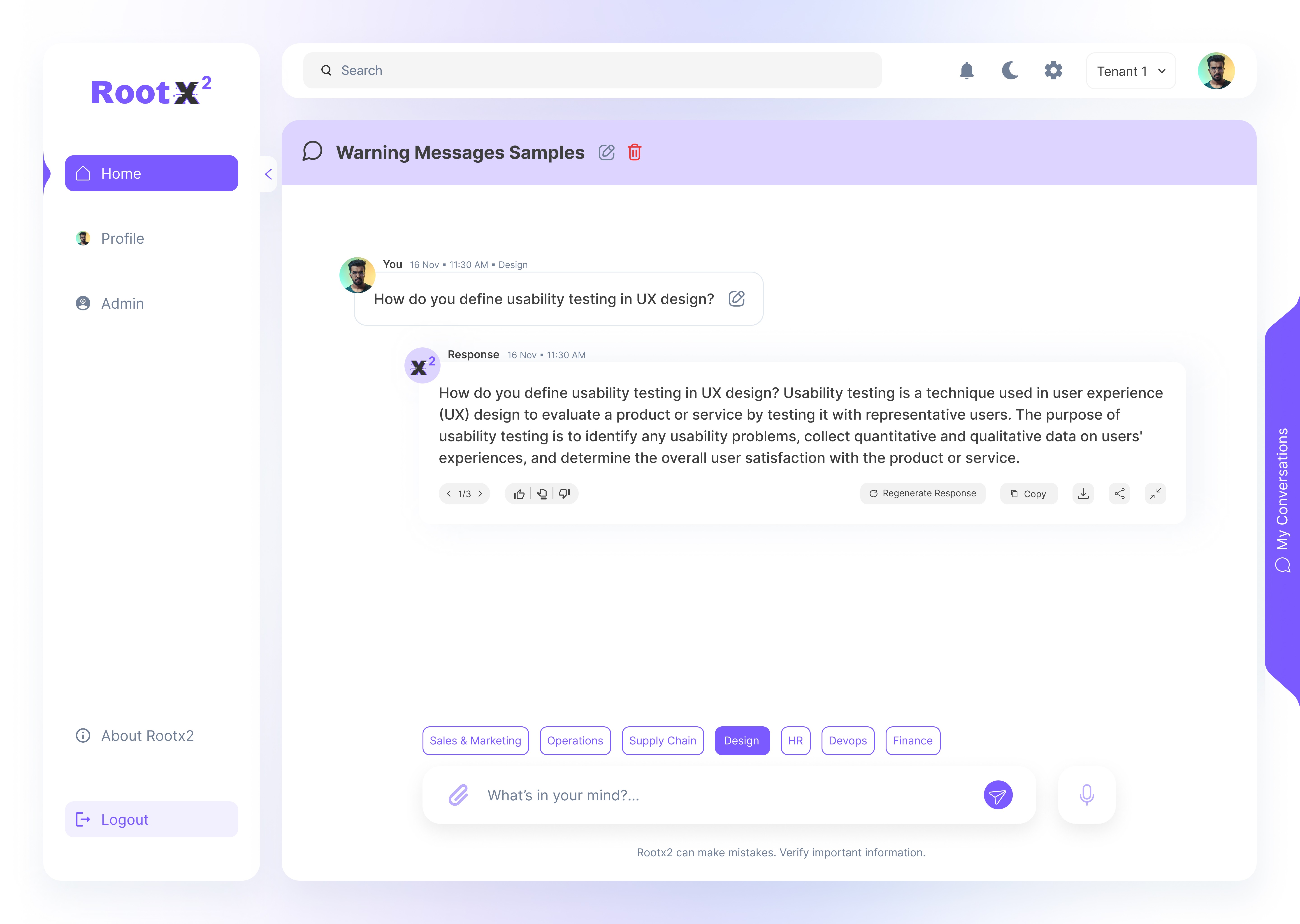
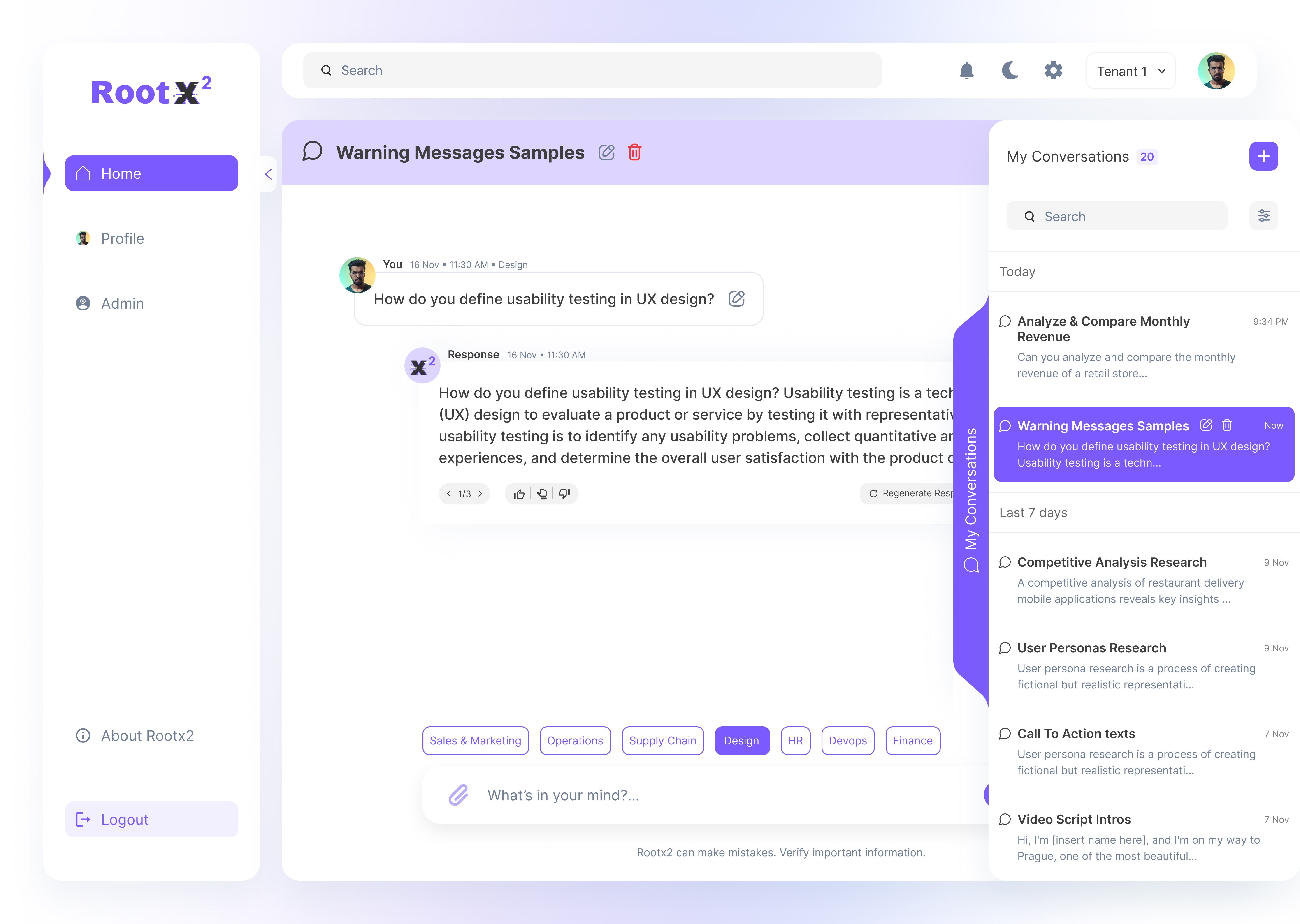
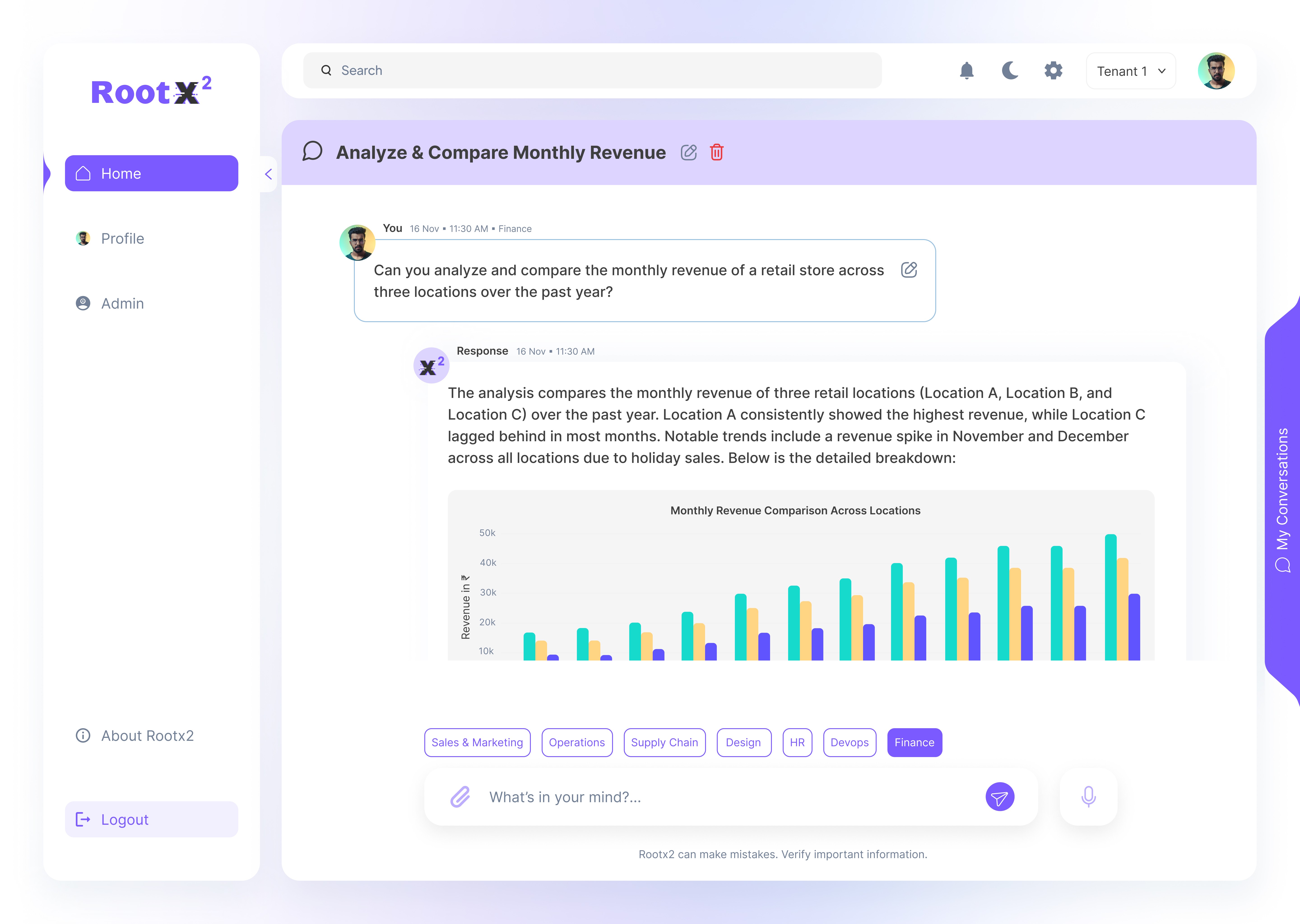
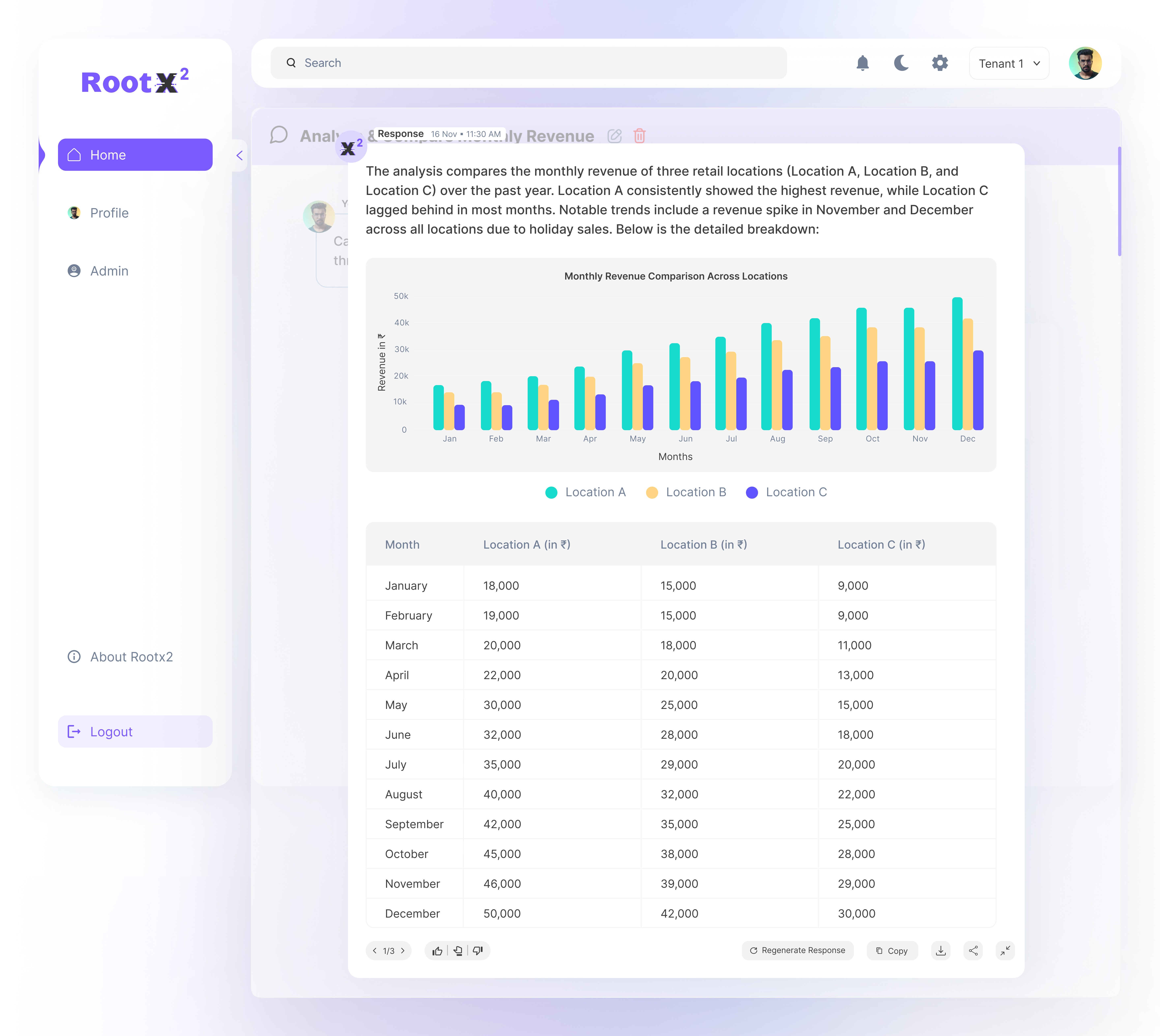
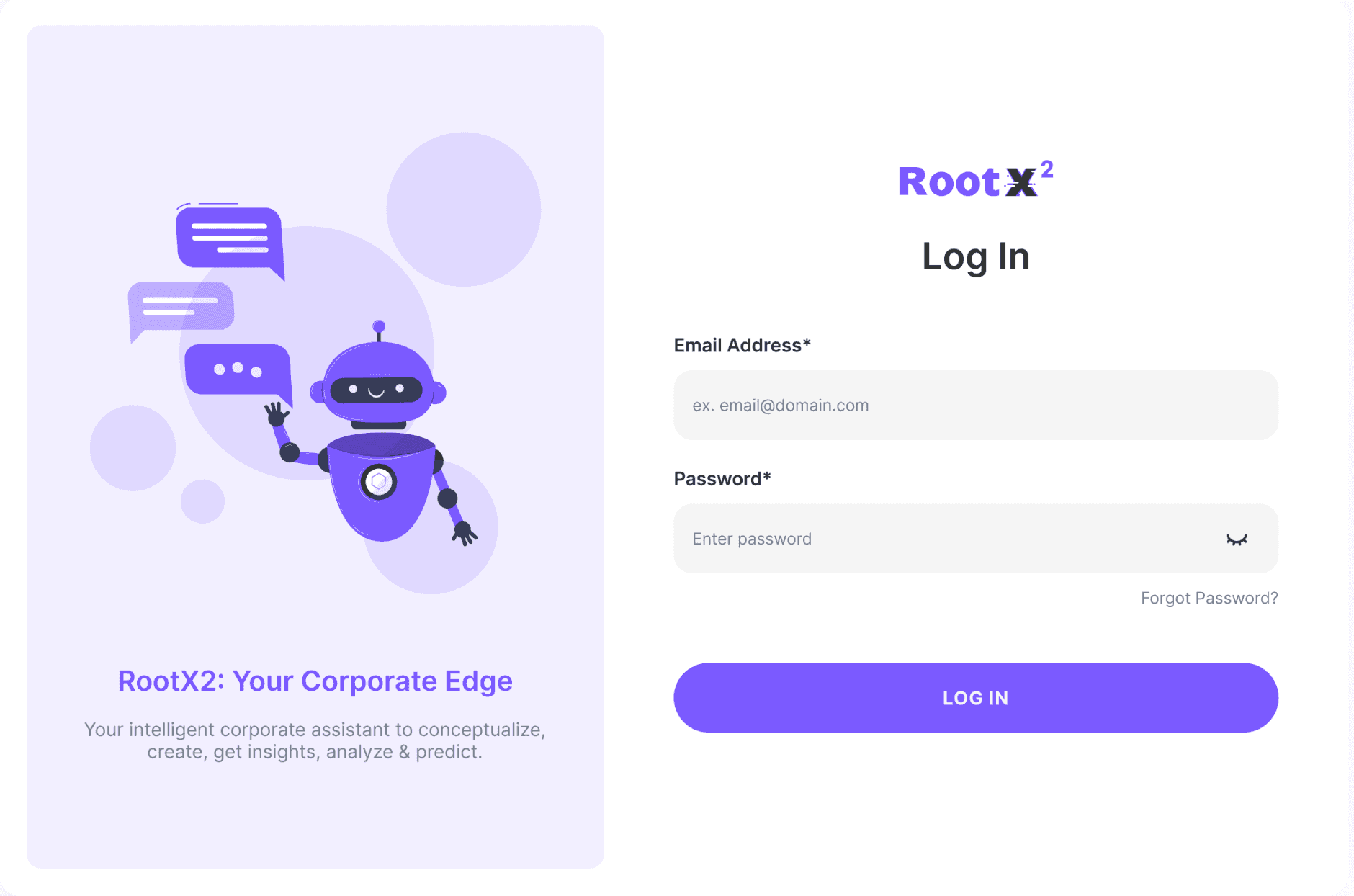
Login & Home Page:
My Conversations:
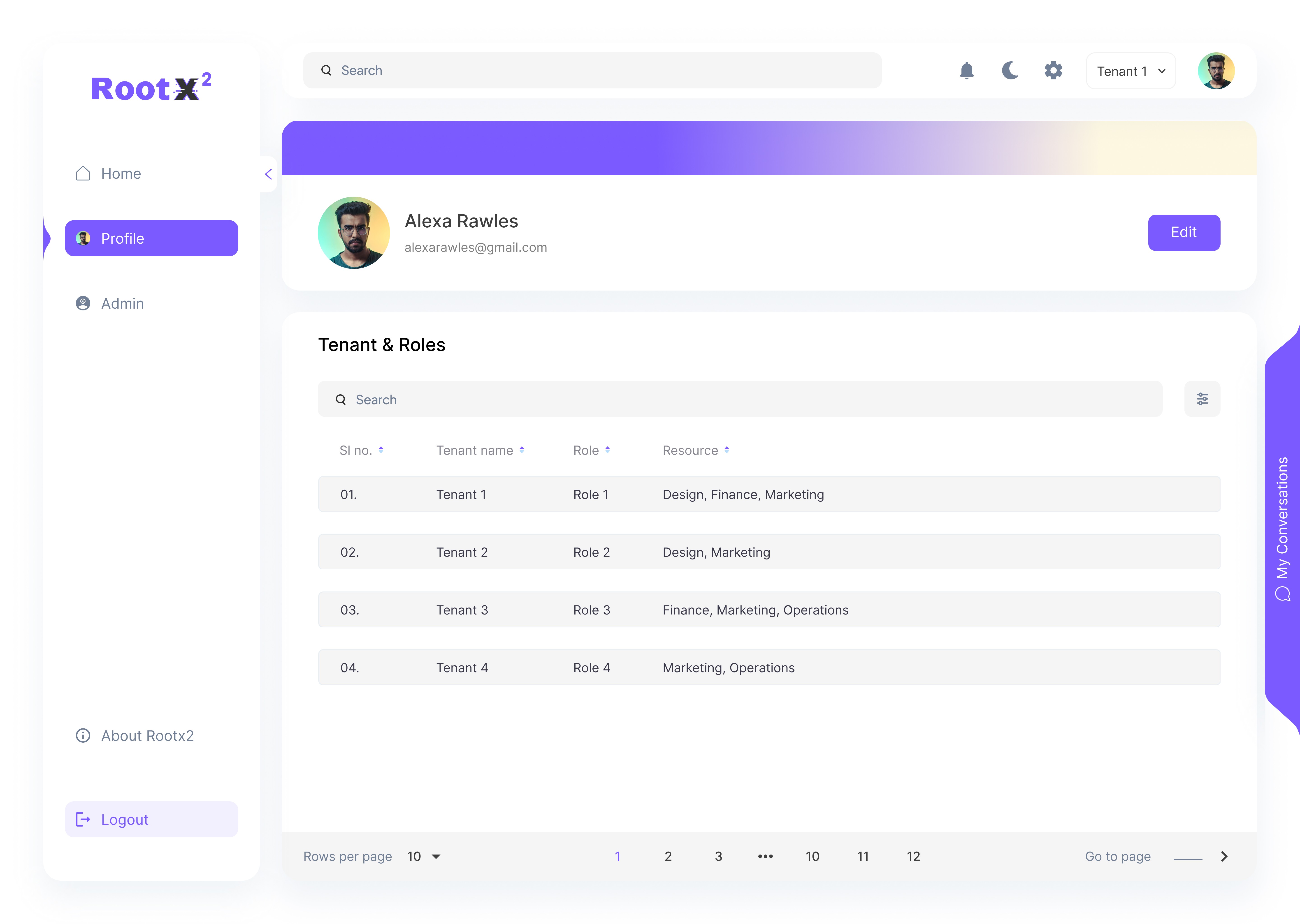
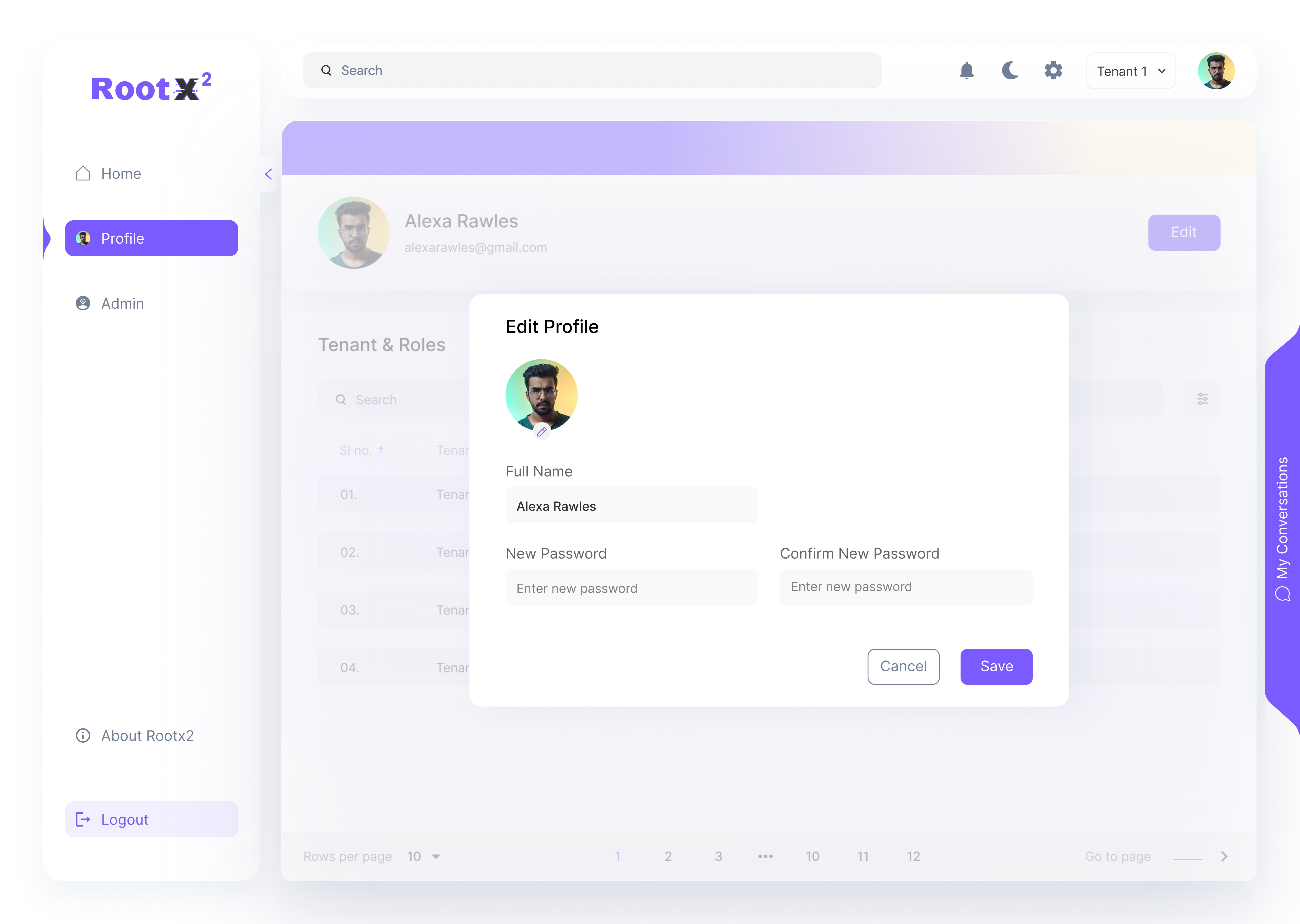
Profile :
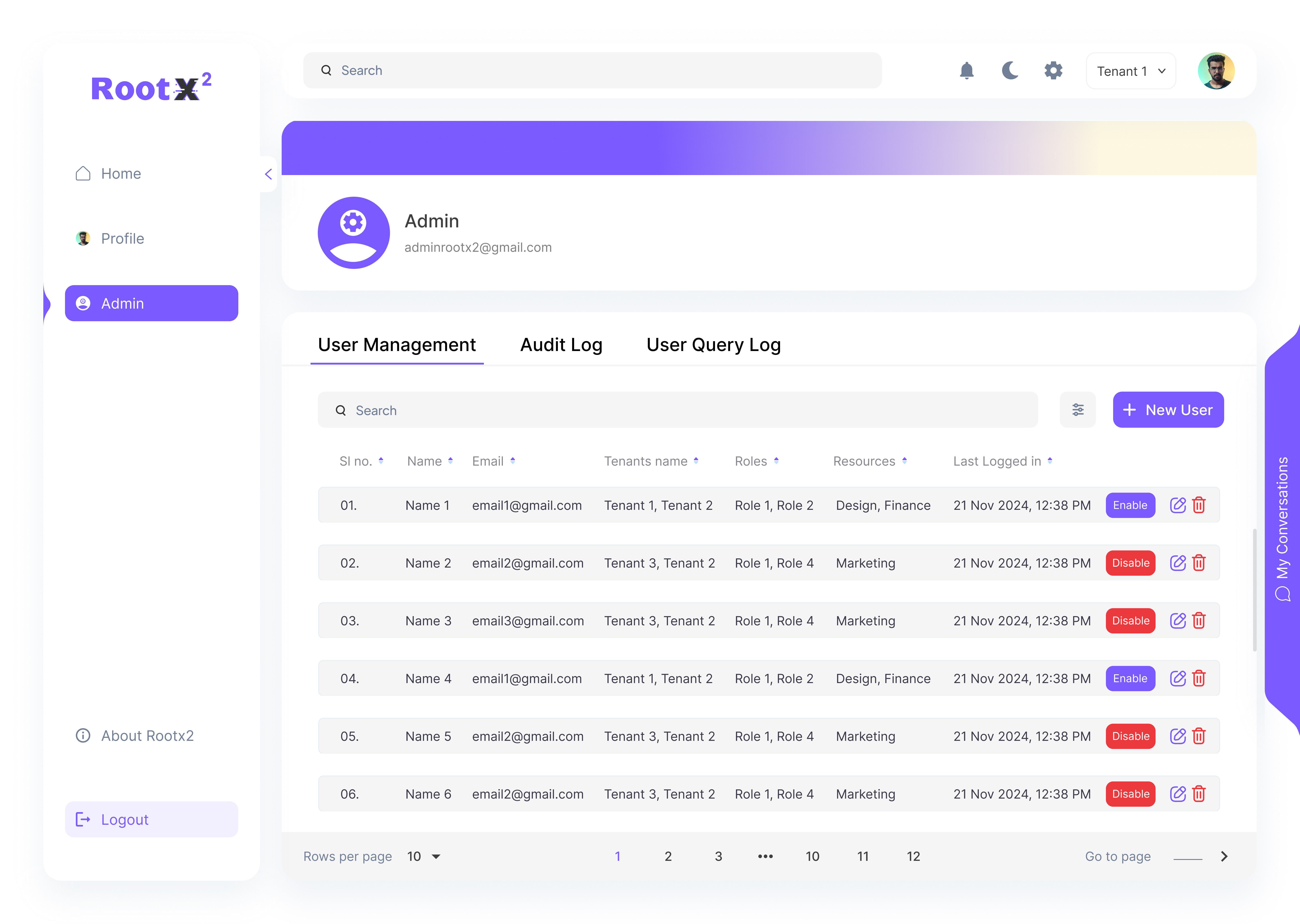
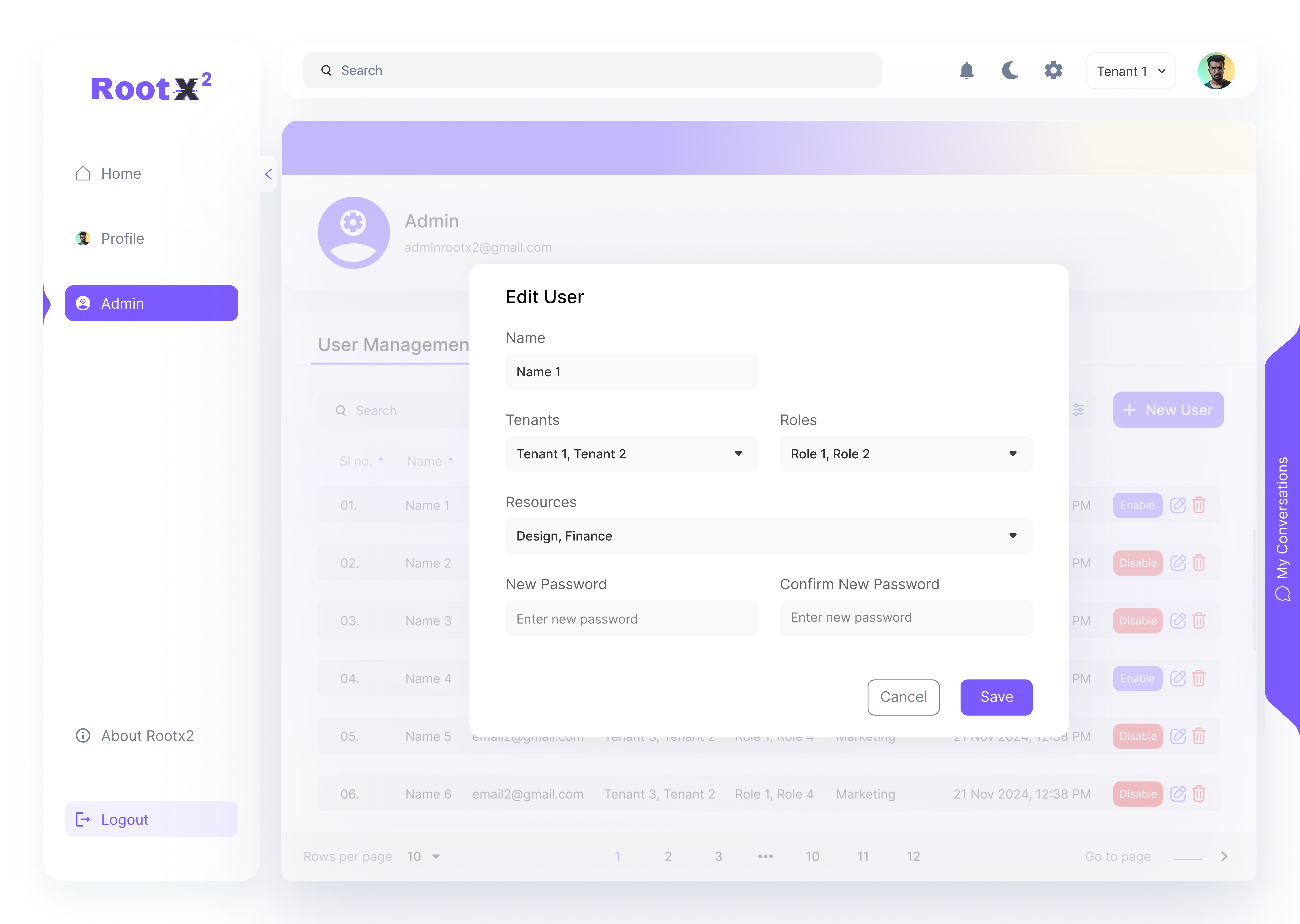
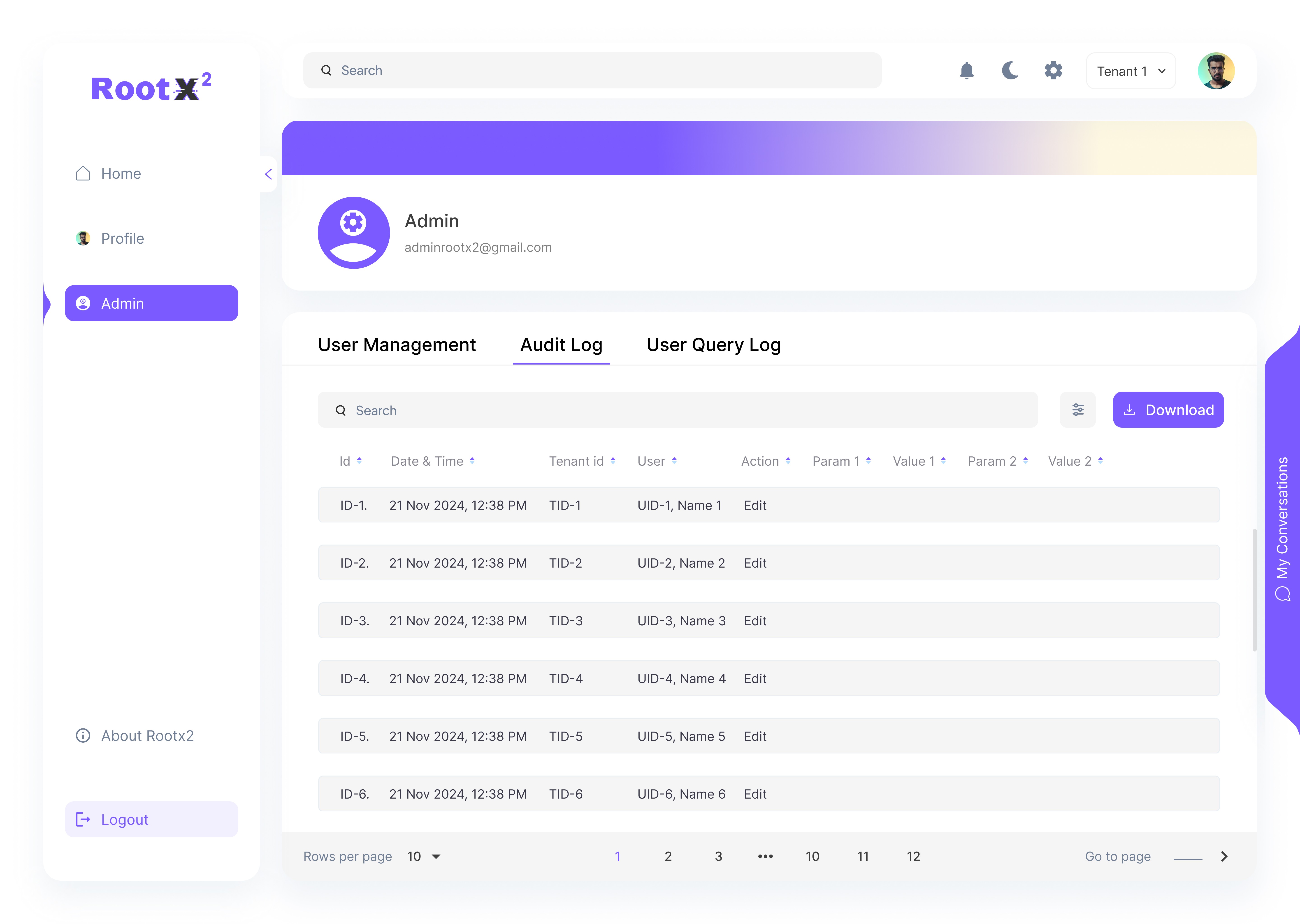
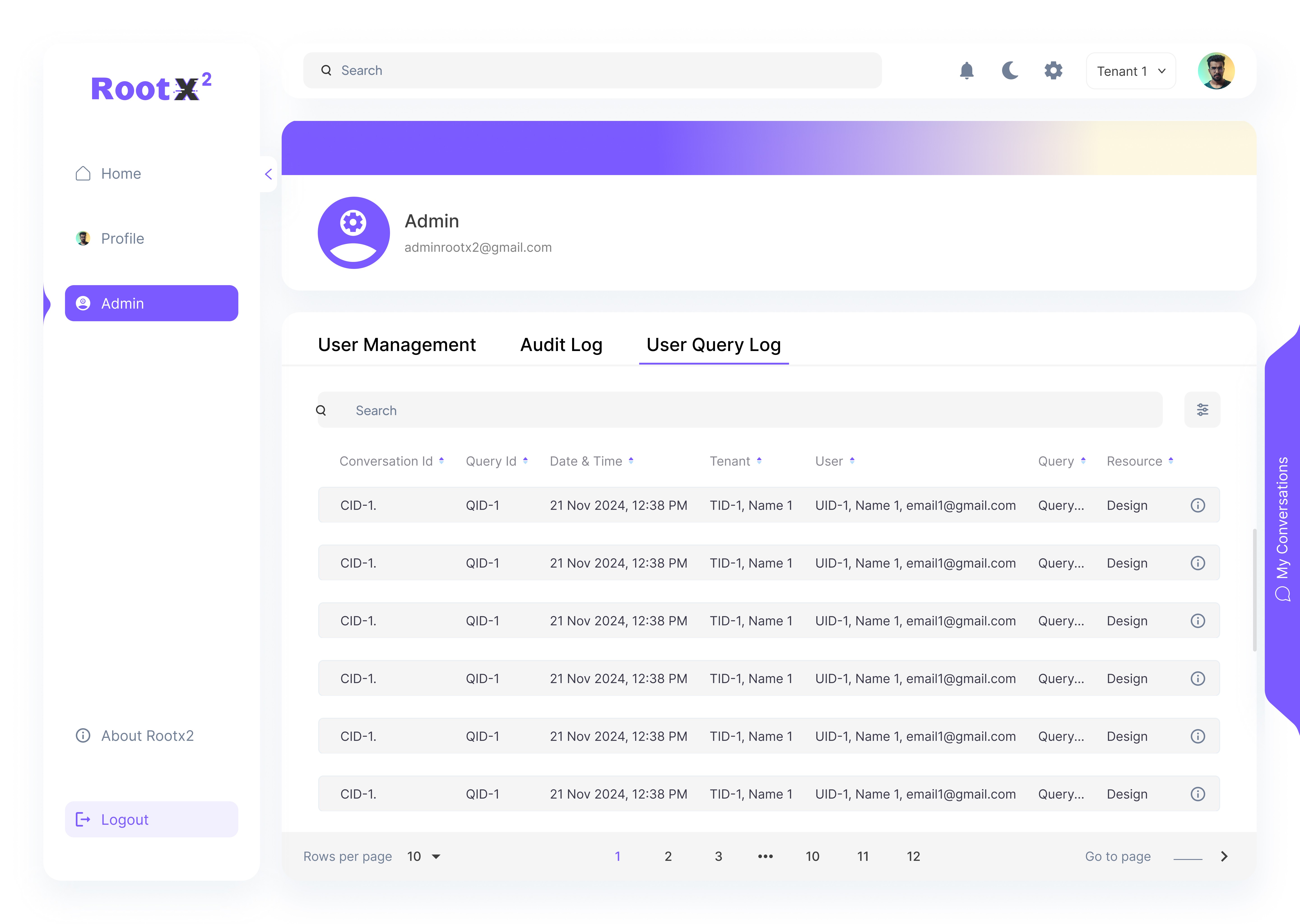
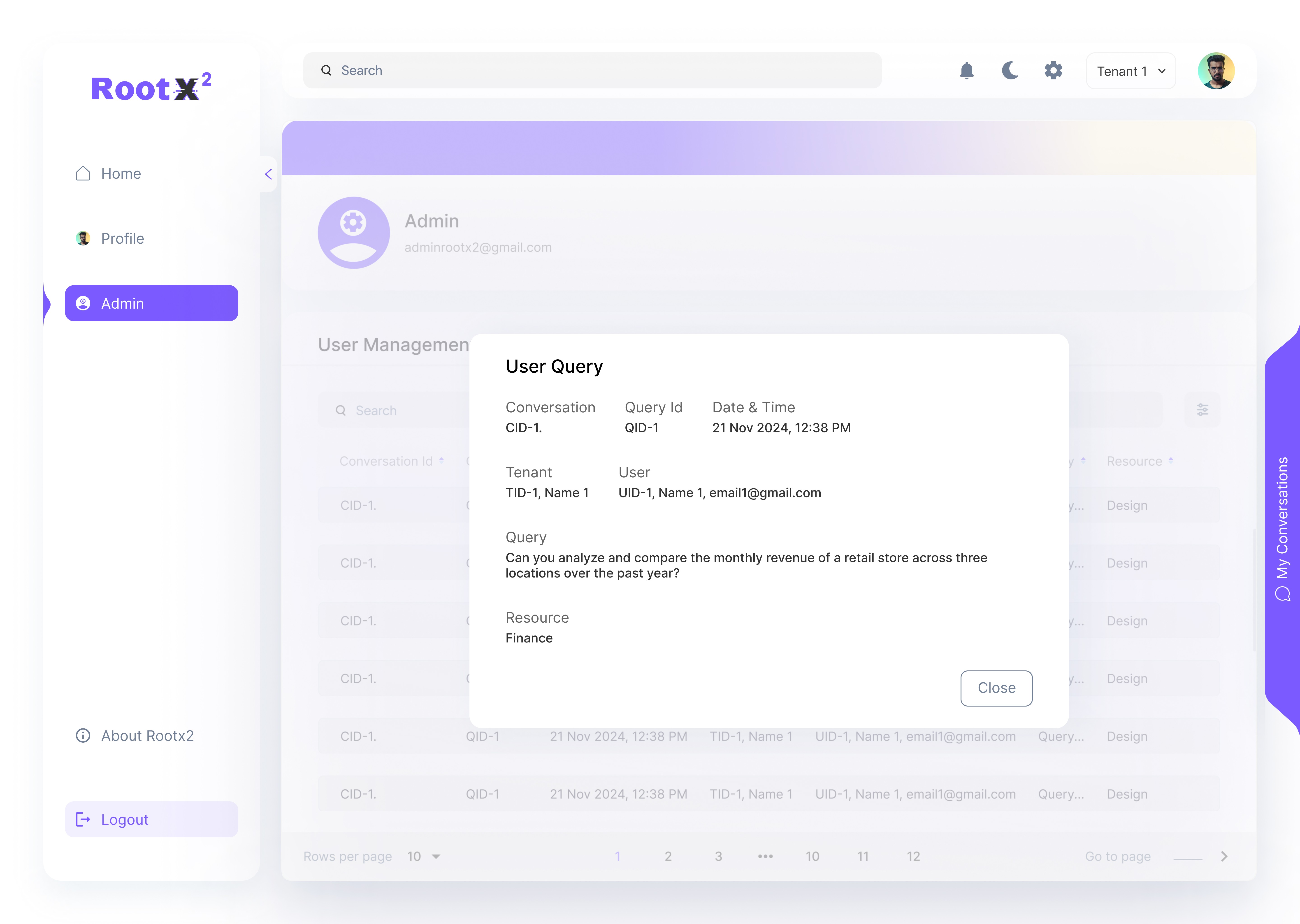
Admin:
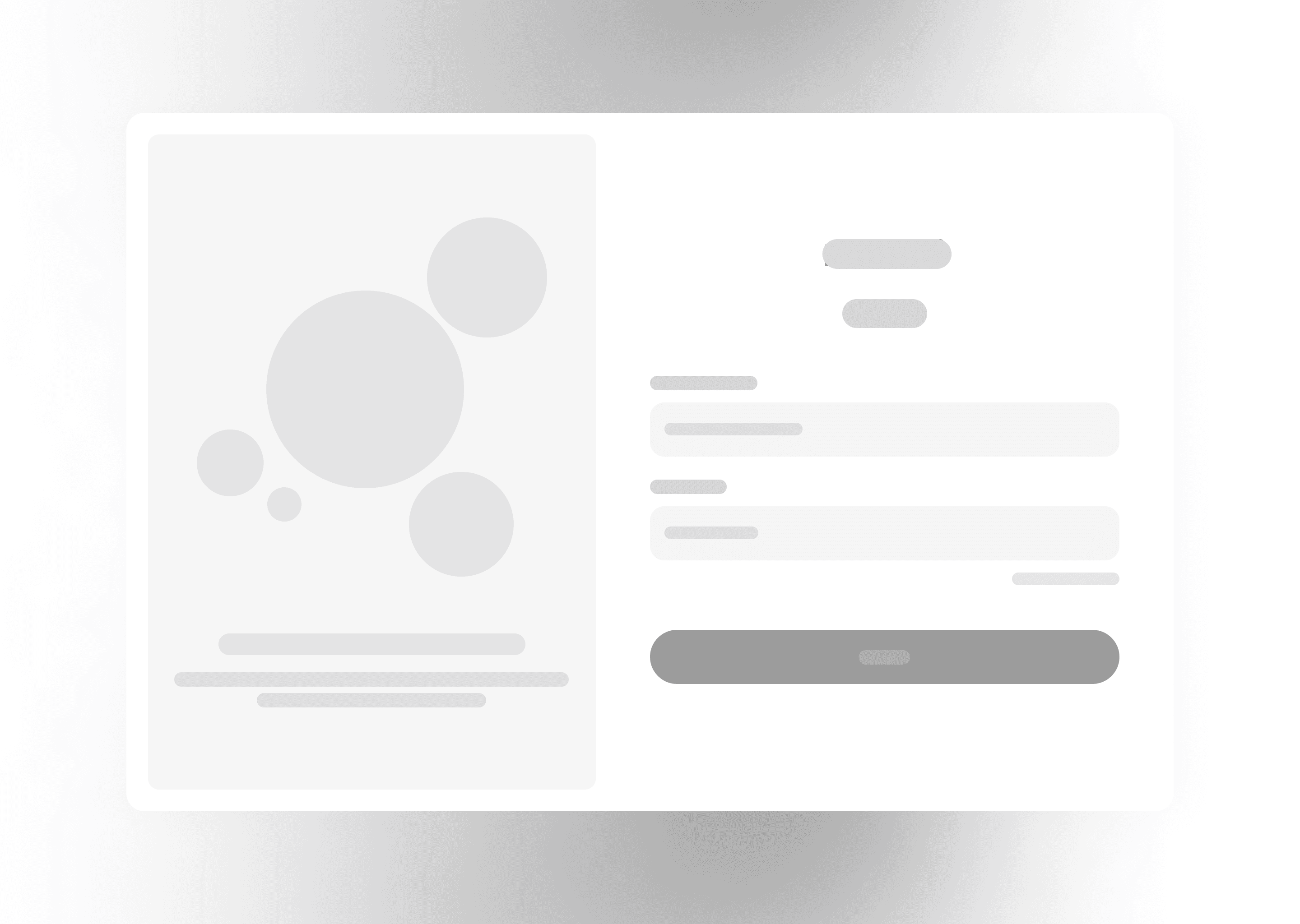
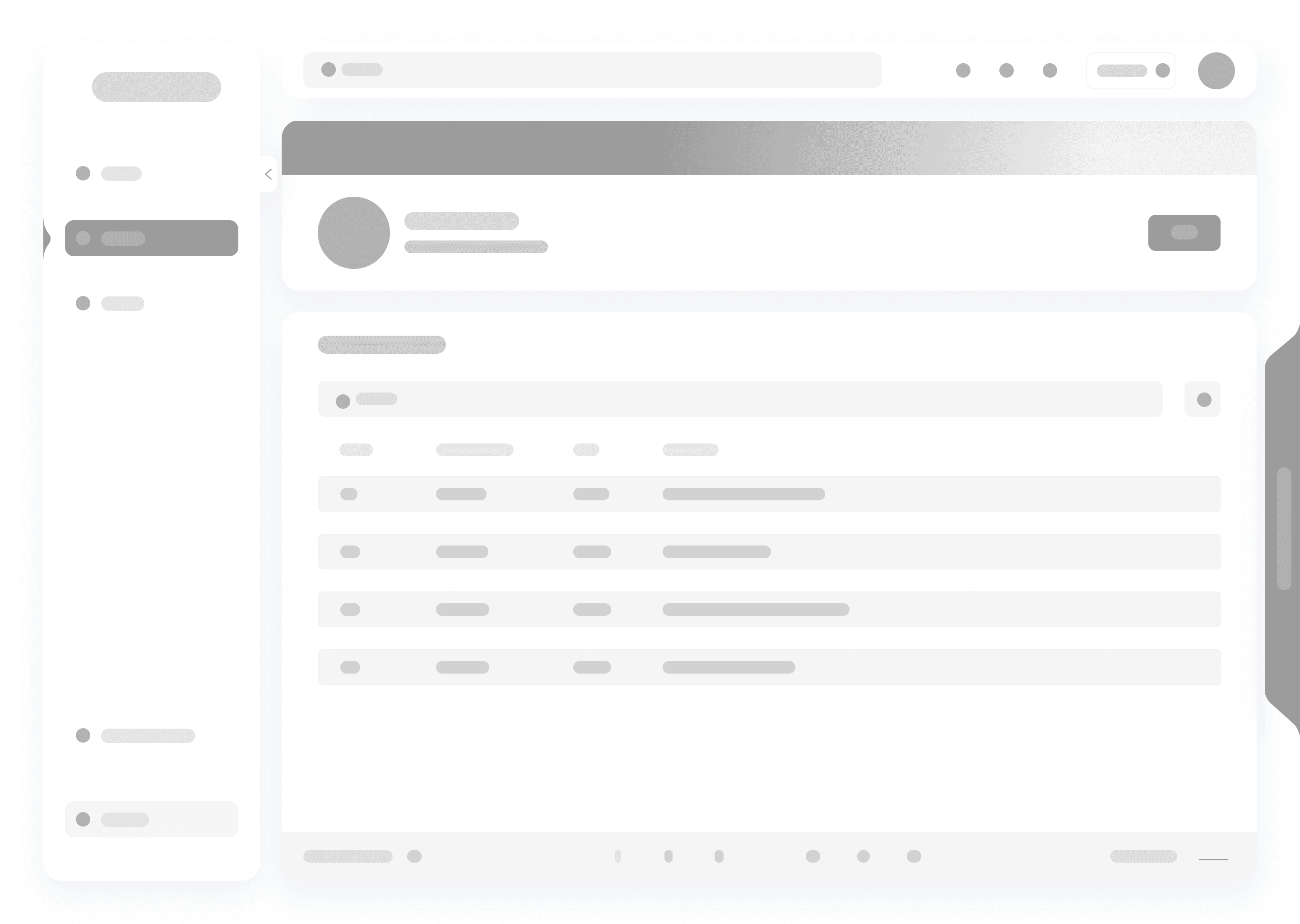
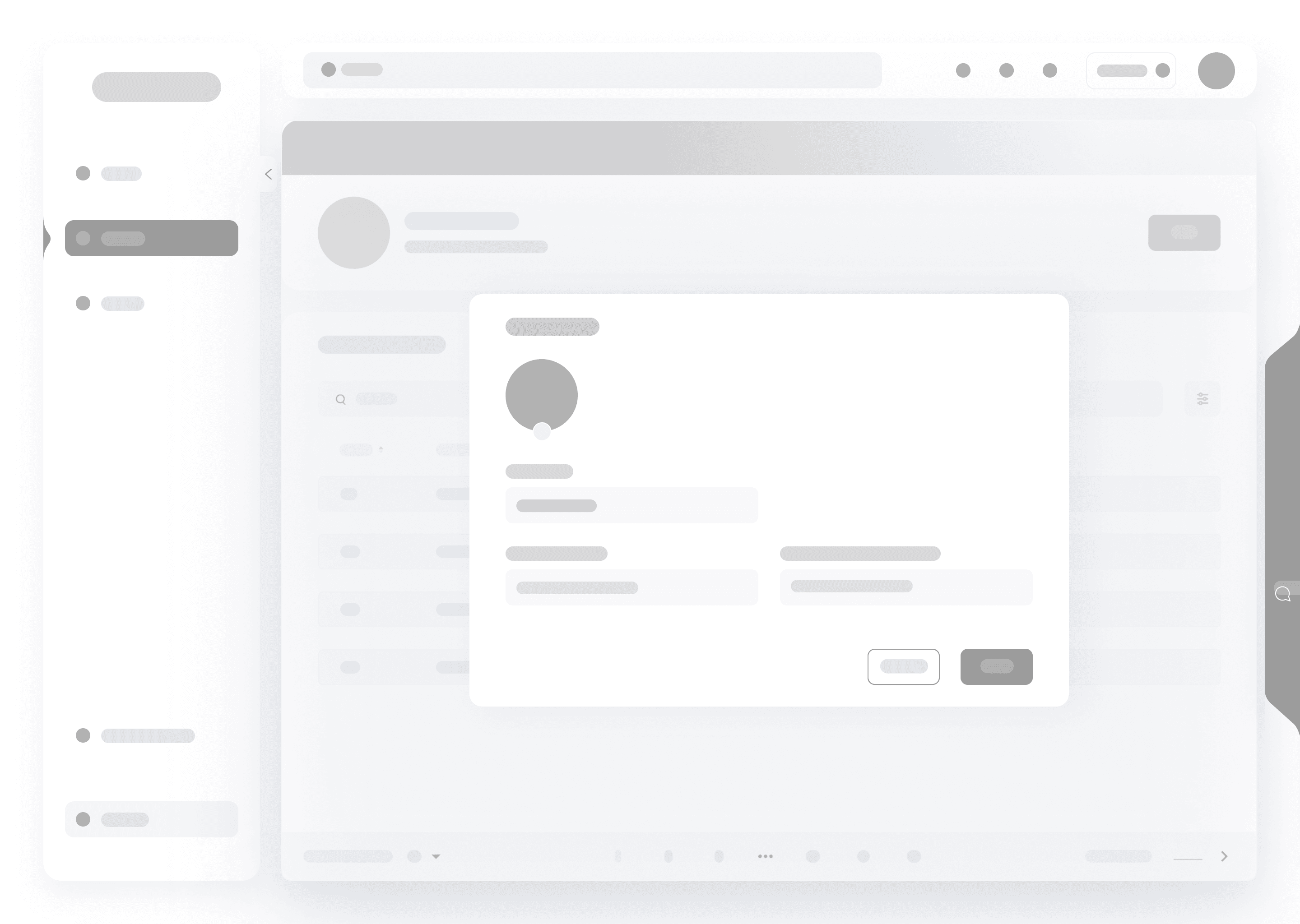
Created rough low-fidelity wireframes to test content layout and user journeys.
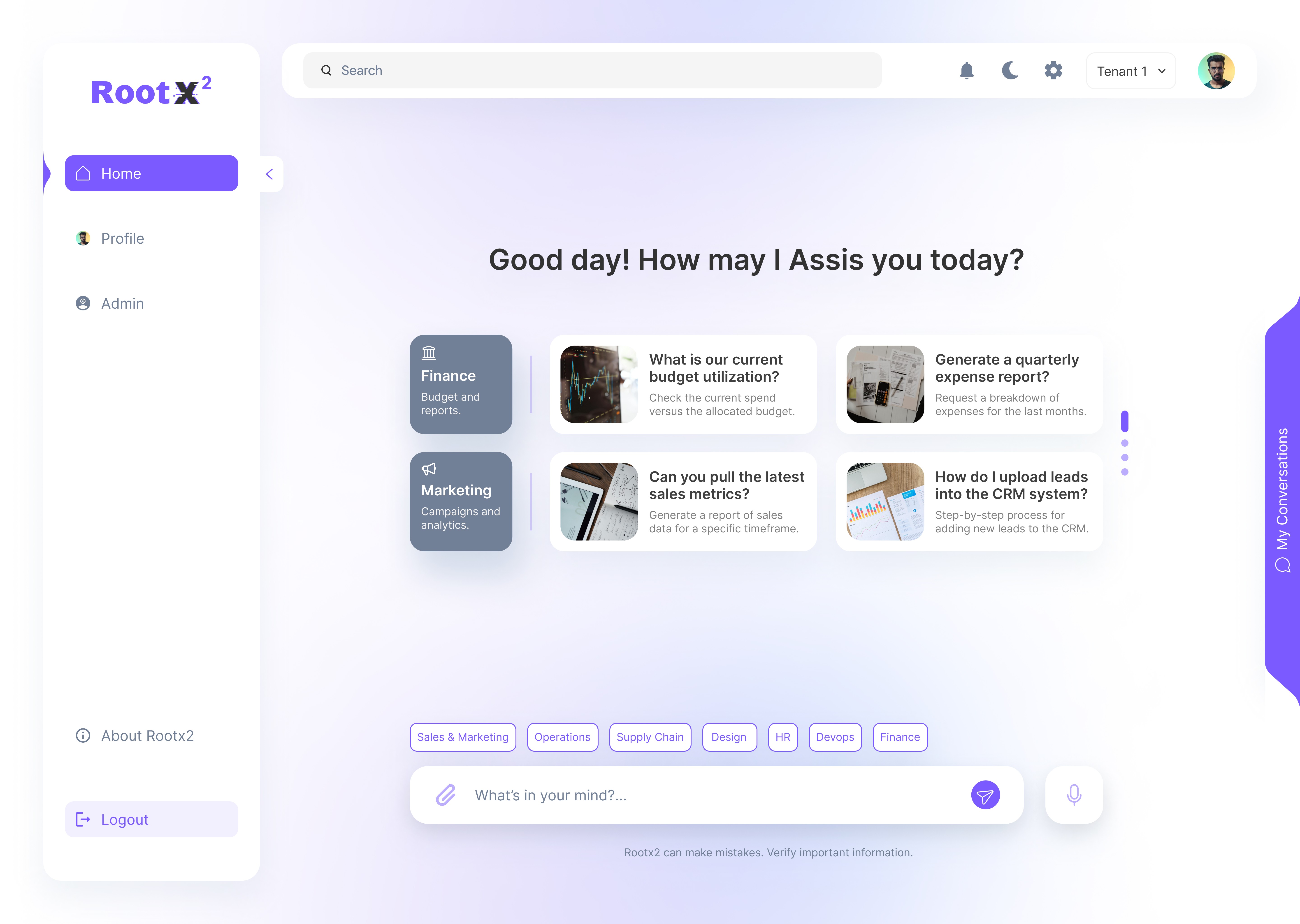
Focused on clean, distraction-free UI for structured responses.
Ensured intuitive multi-tenant navigation and admin control visibility.
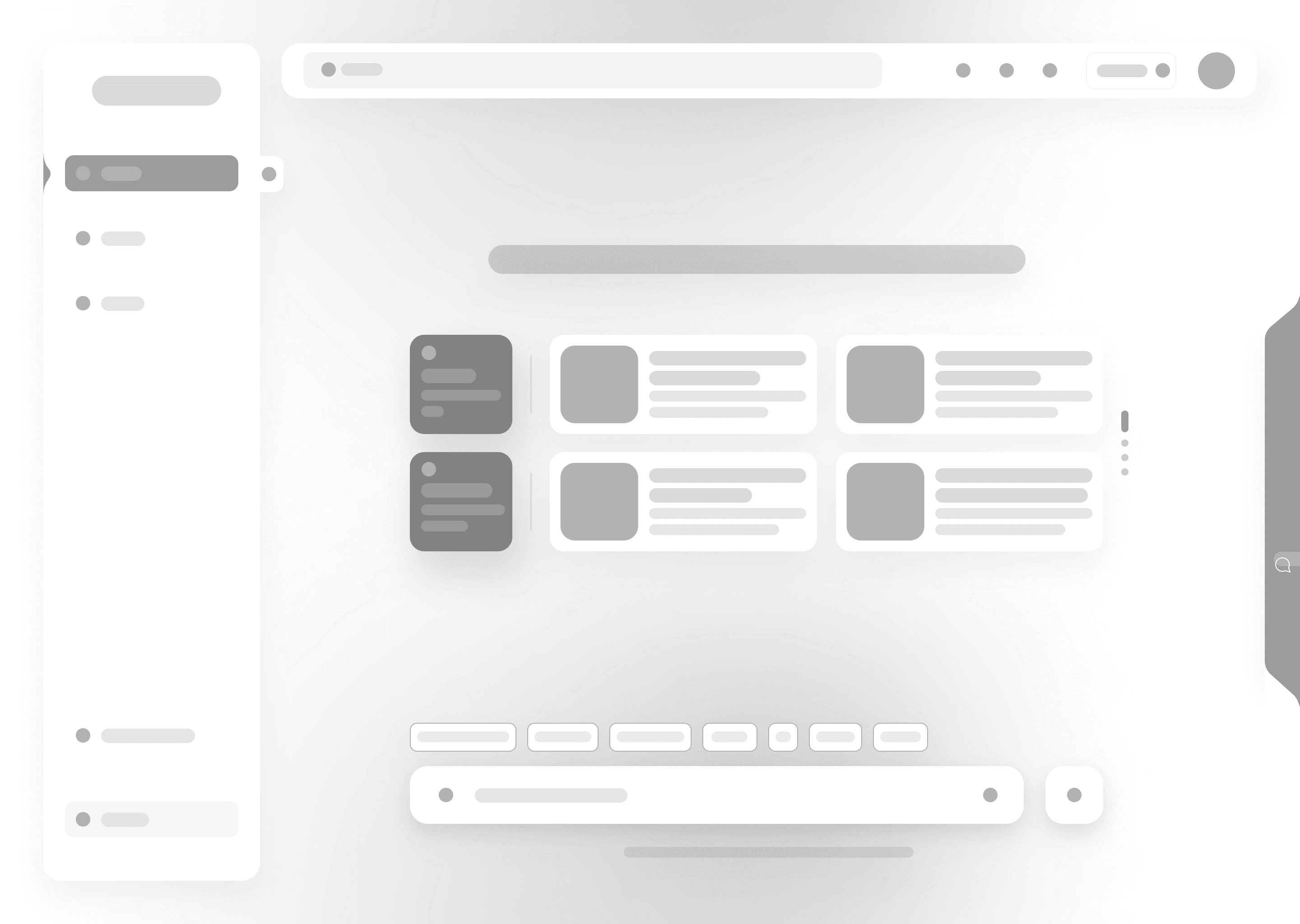
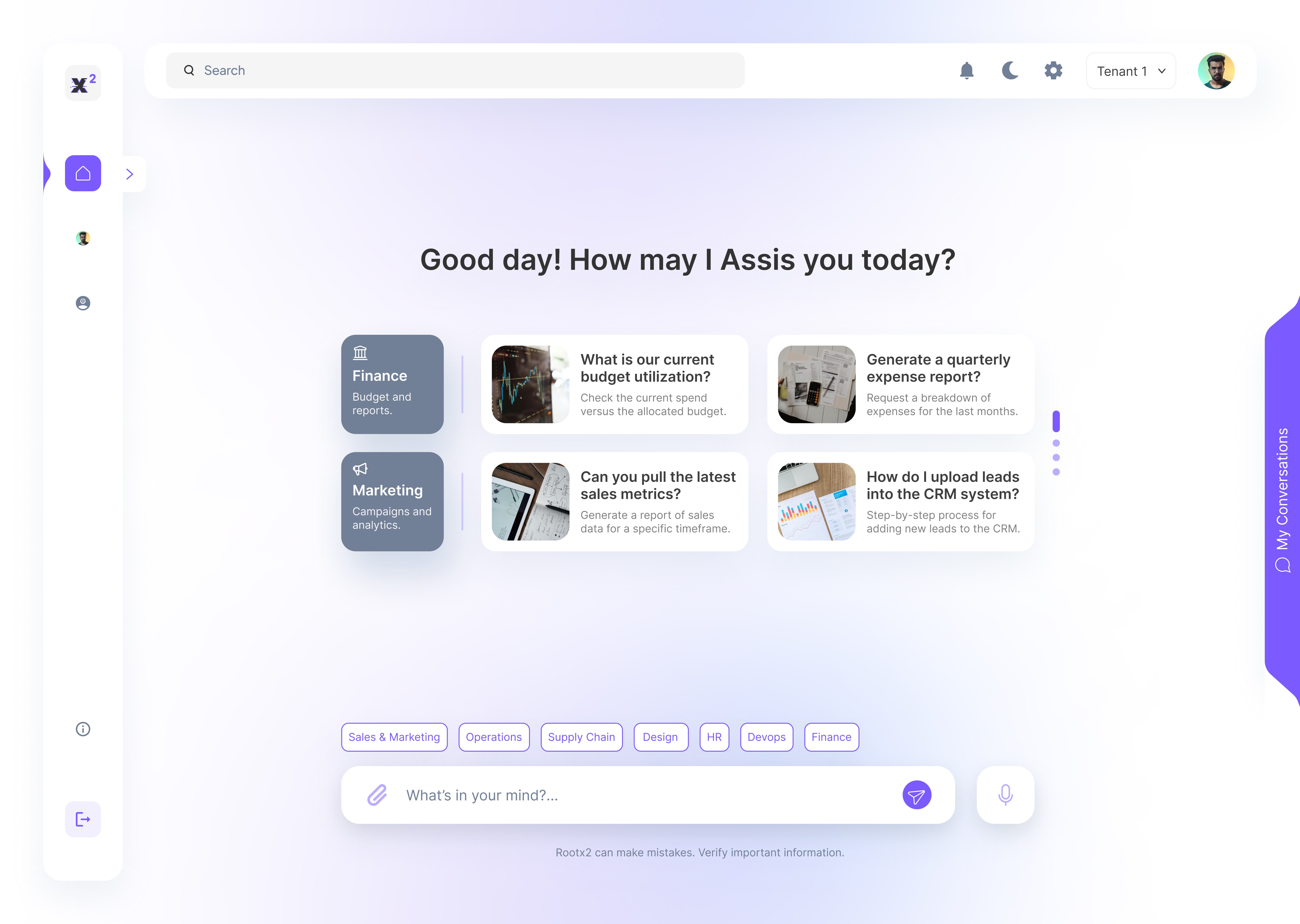
Refined the interface with enterprise-friendly color schemes and typography.
Enhanced data presentation with structured response cards and interactive elements.
Optimized workflow efficiency for AI chat, tenant switching, and query logging.
Lo-Fi Wireframes
Hi-Fi UI Design


Define & Ideate:
How might we create an AI assistant that is structured, secure, and seamlessly integrated into enterprise workflows?
The main challenge was to design an AI assistant that goes beyond simple text-based conversations, offering visually structured, actionable insights. The goal was to empower business users to make faster, data-driven decisions while ensuring the system remains secure, scalable, and easy to manage within complex enterprise environments.
To address the core challenges, I focused on three key areas: AI Chat Structure, Multi-Tenant Management, and Compliance-Ready Logging.
The Core UX Problem
Ideating Solutions for an Enhanced AI Experience
Smart AI Chat with Structured Responses
AI-generated insights in clear text summaries, data tables, and graphs.
Expandable pop-ups for deep dives into complex responses without clutter.
One-click PDF downloads for easy sharing and offline access.
Seamless Multi-Tenant & User Management
Effortless tenant switching via a fixed dropdown menu.
Role-based access control to display only relevant data per user.
A centralized Admin Dashboard to manage users, roles, and permissions.
Enterprise-Grade Audit & Query Logging
Audit logs to track all AI interactions for compliance.
Advanced filters (by date, tenant, user, resource) for quick data retrieval.
Admin tools to review, manage, and delete logs as needed.
Information
How might we create an AI assistant that is structured, secure, and seamlessly integrated into enterprise workflows?
The main challenge was to design an AI assistant that goes beyond simple text-based conversations, offering visually structured, actionable insights. The goal was to empower business users to make faster, data-driven decisions while ensuring the system remains secure, scalable, and easy to manage within complex enterprise environments.
The Core UX Problem
Home
Profile
Admin
About
Log Out
My Conversations
Edit Profile
Audit log
User Query
View Profile
User Mgmt.
THANK YOU
Design Project By - SRIJAN
Whoa there, tiny screen!
This one's meant to be seen on a canvas as wide as its ideas.
Or
Switch to Desktop
View on Behnace
Conclusion
RootX2 is more than just an AI chatbot—it’s a powerful enterprise solution that transforms AI interactions into structured, data-driven experiences tailored for corporate environments.
This project provided valuable insights into the current AI chatbot landscape, highlighting key differences between commercial AI assistants and those designed for workplace productivity. Unlike general-purpose AI, RootX2 prioritizes usability, security, and structured data access, ensuring efficiency in an office setting.
Improved response card readability by refining layout spacing.
Made tenant switching more accessible with a dedicated dropdown.
Enhanced filtering for logs and queries to simplify data retrieval.
Refined admin panel controls for better user role management.
Testing & Iteration
Whoa there, tiny screen!
This one's meant to be seen on a canvas as wide as its ideas.
Or
Switch to Desktop
View on Behnace